
Announcement · Oct 26, 2026 · 2 min read
Introducing Device MCP: the device hub for the agent era
Mirror and control your iPhone from your Mac, then hand it to Claude Code or Codex. Here's what Device MCP does and why we built it.
By The Device MCP team
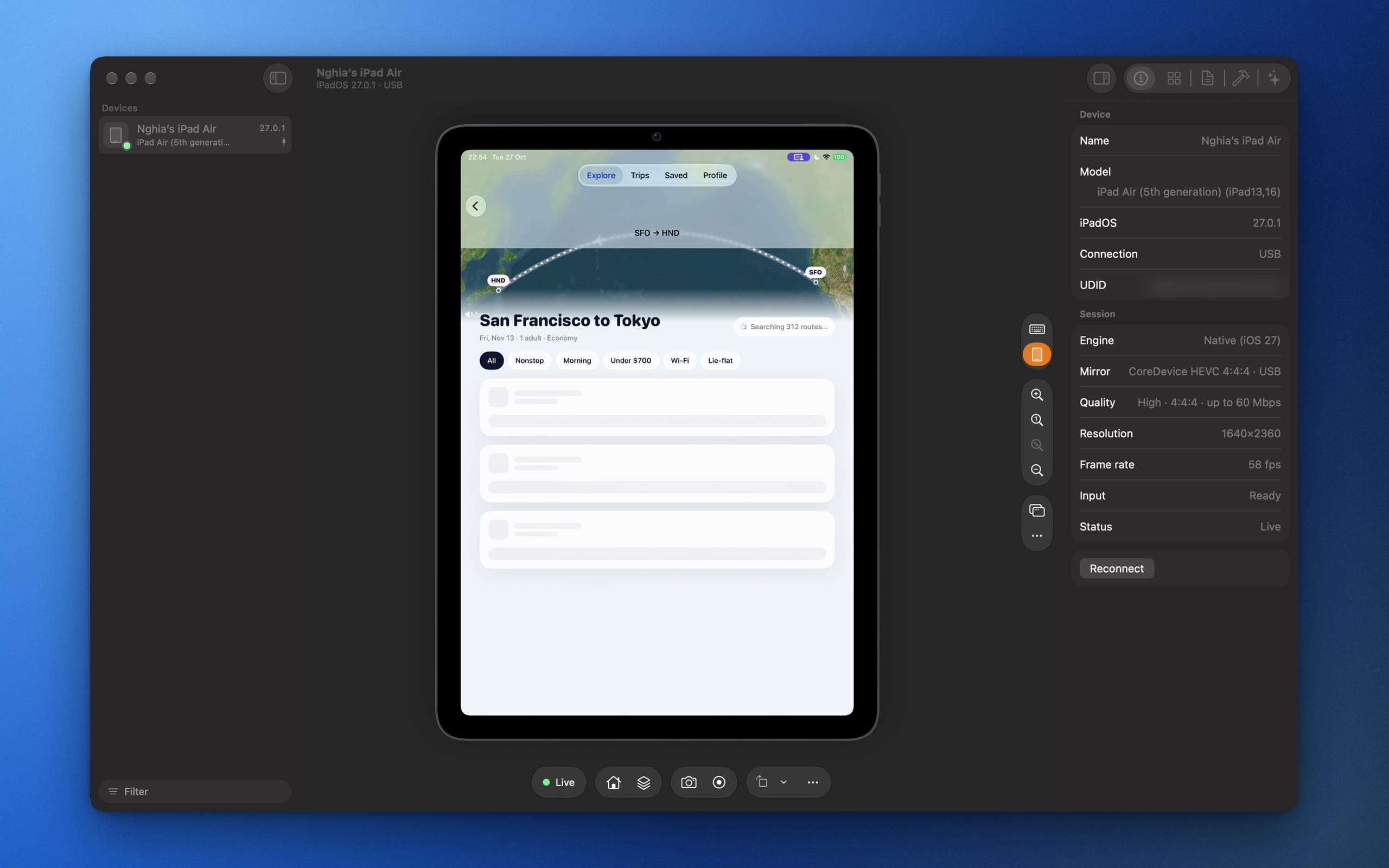
Coding agents got good at writing iOS apps long before they could use one. They can edit a SwiftUI view and run the build, then they stop. Somebody still has to pick up the phone, find the screen and tap through it to see whether it worked.
Device MCP closes that loop. It puts your iPhone or iPad on your Mac, lets you drive it with the mouse and keyboard, and gives the same device to your agent through a built-in MCP server.
A better Device Hub
iOS 27 added something new: a Mac can stream a device's screen and send it real touches over the developer connection, with nothing installed on the phone. Xcode's Device Hub was the first to use it. Device MCP is built on the same foundation, and goes further:
- A sharper picture. Device MCP asks iOS for its Remote Desktop stream: full-colour HEVC 4:4:4 at up to 60 Mbit/s and 60 frames a second. Small text stays crisp, even over Wi-Fi. (How that works.)
- A home of its own. A Mac app with a sidebar of your devices, a toolbar for the hardware buttons, and an Inspector for device details, apps and builds.
- The real device around it. Device MCP draws a live 3D model of your exact iPhone or iPad around the mirror, buttons included. Click one to press it.
Hand it to your agent
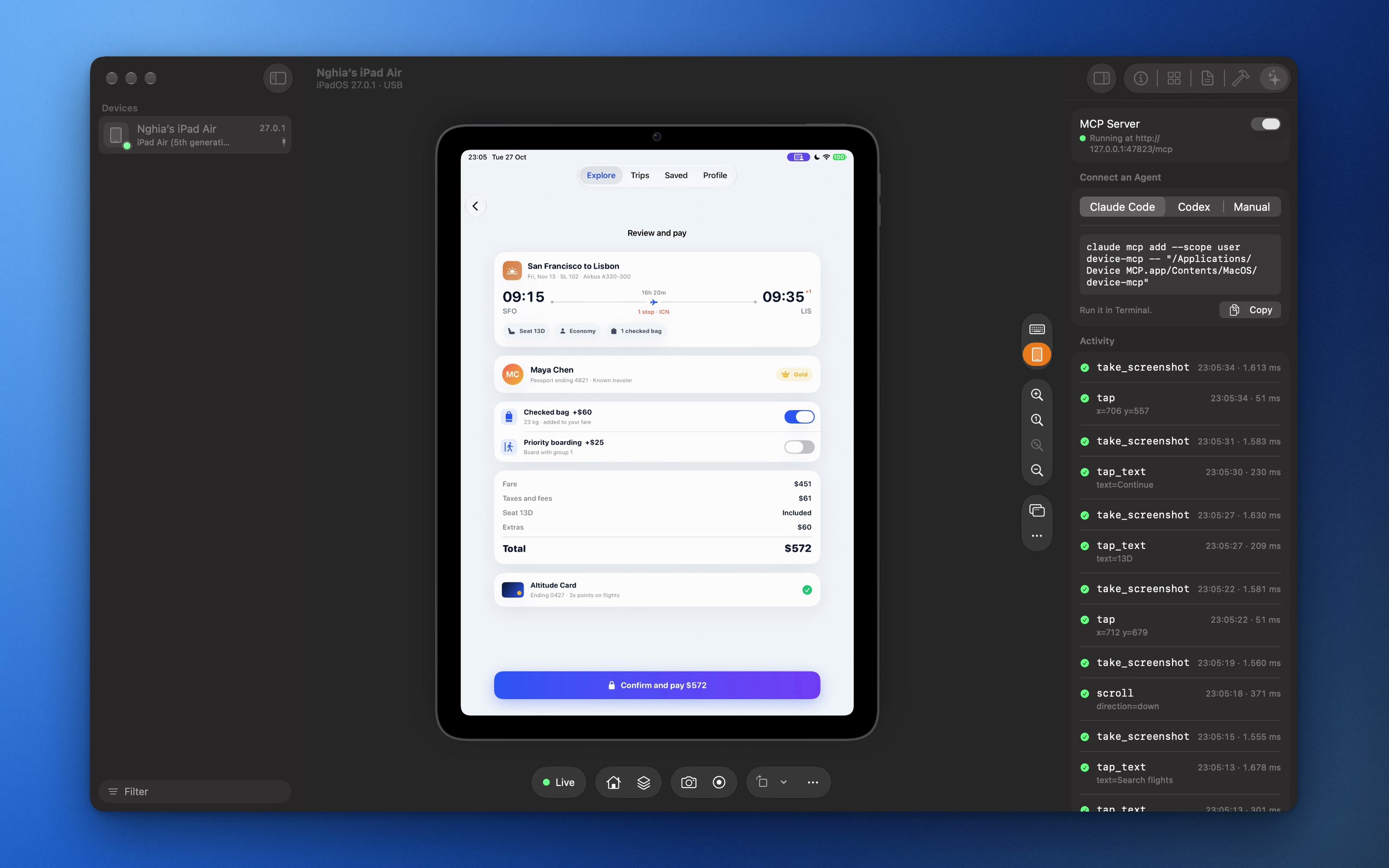
Turn on the MCP server and add Device MCP to your agent with one line:
claude mcp add device-mcp -- "/Applications/Device MCP.app/Contents/MacOS/device-mcp"
Your agent gets 28 tools. It can take screenshots, read the words and controls on screen, tap a button by name, type, swipe, launch apps, open links, record the screen, and build and run an Xcode project on the device. Everything it does shows up in the Inspector's activity log, and the risky things (installing, deleting and building) ask you first.
When the device needs a person, for Face ID, a passcode or an Apple Account password, the agent stops and asks. Device MCP sends you a notification with a sound and waits until you click Done.
Free to mirror
Mirroring and controlling one device is free. A license unlocks Pro: agents, Build & Run, as many devices as you plug in, app installs and the handoff. Licenses are a one-time purchase with a year of updates, and the version you have keeps working forever. See pricing.
Device MCP needs a Mac on macOS 26 and an iPhone or iPad on iOS 27 with Developer Mode on. Download it, plug in your phone, and say hello.